


 7:10 AM
 Praveen

Steps to hide your drive :
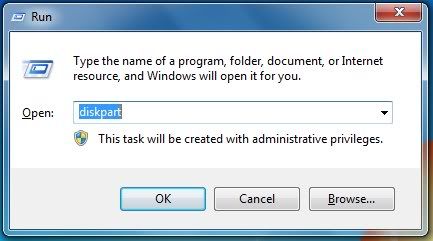
1.Go to Start–>Run or use Windows+R key and type: diskpart
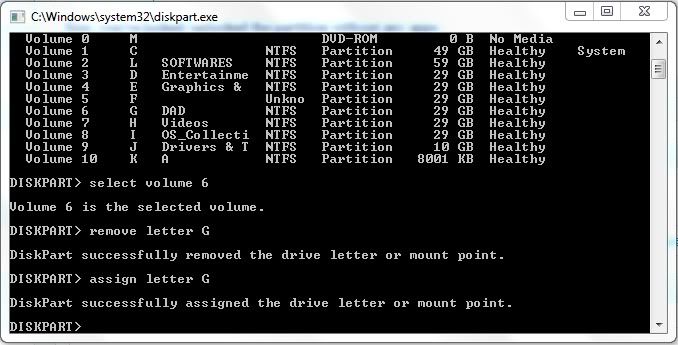
2.Type list volume and enter, Now Command Prompt Lists your partitions.
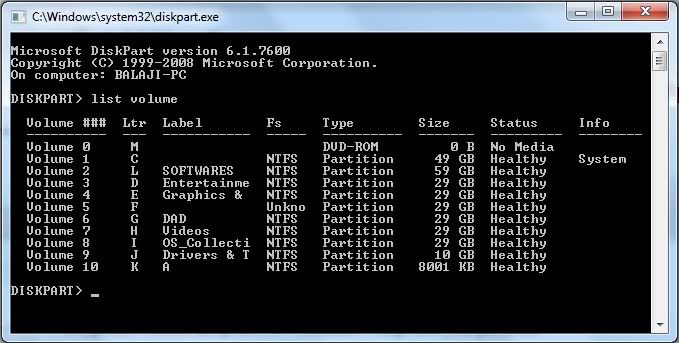
3.I'm showing off the being hidden of partition volume 6 named DAD and labeled G.
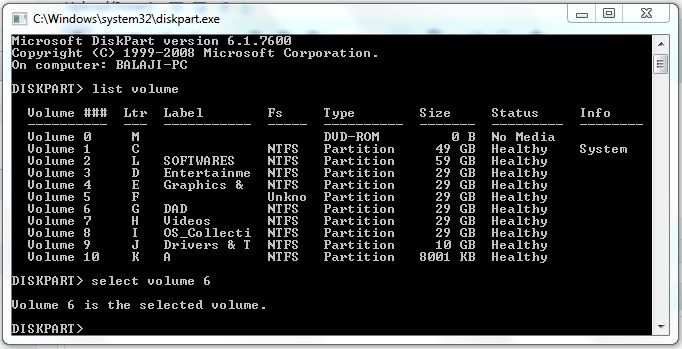
so i commanded select volume 6
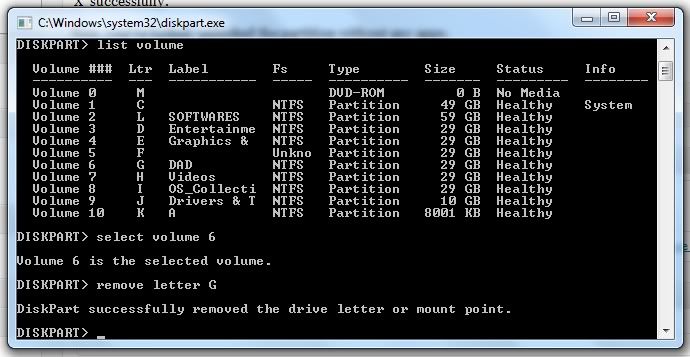
4.Now Command as remove letter G & see that you've hidden the drive letter "X" successfully.
Steps to show your drive :
To show off the drive, follow up-to Step 3 & fourth step command will be assign letter G & see that you've assigned the drive letter "X" successfully.
This trick works in Windows XP, VISTA, SE7EN And 8.
 Posted in: Cmd tricks,Diskpart Tricks,Pc tricks,windows tricks

0 comments:
Post a Comment